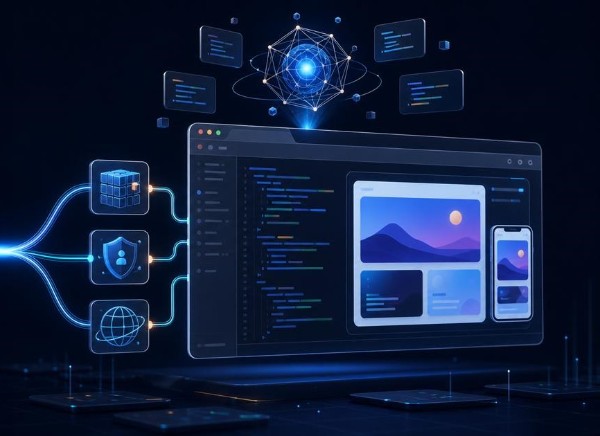
Vibe Coding: How Non-Technical Creators Are Building Micro-SaaS Apps in 24 Hours
I know some of you might have been hearing the world vibe coding for months or years and still don’t get it. What if you could turn a business problem into a working software prototype without spending months learning a programming language?
For decades, turning a software idea into reality required learning complex programming languages, managing database migrations, configuring deployment pipelines, or hiring expensive development agencies. Today, a conversational shift is underway. Across the tech ecosystem, a new generation of creators is bypassing traditional syntax entirely, relying on natural language prompts and autonomous AI coding agents to spin up fully functional software in a single day
Vibe Coding: Non-Technical Creators Can Build Micro-SaaS Apps
That possibility is attracting designers, freelancers, entrepreneurs, and other creators to a development approach known as vibe coding. Instead of writing every line of code manually, you describe what you want an application to do, let an AI coding tool generate an implementation, test the result, and refine it through conversation.
For someone with a good understanding of a particular industry but limited programming experience, this can open up new ways to experiment with software ideas.
However, building an application in a day is not the same as building a reliable software business in a day. A generated interface might look impressive while its database permissions are misconfigured, its calculations are wrong, or its core features solve a problem nobody wants to pay to fix.
In this guide, we examine how vibe-coding works, which AI app builders or AI are worth evaluating, what a realistic 24-hour micro-SaaS sprint involves, and how to turn an initial prototype into something customers can actually use.
What Is Vibe-Coding?
Vibe-coding is a style of AI-assisted software creation in which a person describes an application or feature in natural language and uses an AI coding model to generate and modify the code.
The term was popularized by Andrej Karpathy in February 2025. It became a convenient way to describe a workflow in which the creator directs the process through prompts, observes the results, and requests changes rather than manually implementing every detail.
The important distinction is that vibe-coding describes a way of working, not a guarantee of software quality.
A creator might ask an AI tool to build a customer dashboard, connect a database, add a form, or correct an error. The tool generates code or performs development actions, and the creator evaluates the result.
This makes experimentation more accessible. It does not eliminate the need to understand what the application should do or how to verify that it works.
Vibe-coding vs. traditional coding vs. no-code development
These approaches overlap, but they have different strengths.
| Approach | How it works | Main consideration |
|---|---|---|
| Traditional coding | Developers write and maintain code directly, often with AI assistance | Offers detailed control but requires technical skills |
| No-code development | Users assemble applications through visual builders, workflows, and configured components | Accessible for supported use cases but constrained by platform capabilities |
| Vibe coding | Users direct AI to generate or modify software through natural language | Can accelerate development but requires careful verification |
These categories are not mutually exclusive. A developer can use a visual builder, generate code with AI, and then edit that code manually.
The more useful question is not which approach is universally best. It is which approach lets you solve the intended problem reliably with the time, skills, and budget available.
Why Vibe-Coding Is Relevant to Micro-SaaS
A micro-SaaS is a small, focused software business that serves a specific audience or solves a particular problem. It may be run by one person or a small team, although there is no universally accepted size threshold.
Examples include a tool that helps freelancers track client approvals, a booking system for a particular type of service business, or a calculator designed around an industry’s specific pricing rules.

Micro-SaaS and vibe coding are a natural combination because many niche products do not need dozens of features to deliver their initial value.
An application that converts approved quotations into invoices, for example, might initially need only customer records, line items, calculations, document generation, and a way to save its records.
AI-assisted development can help generate the interface and initial implementation of these features. Managed databases, authentication services, and deployment platforms can reduce the amount of infrastructure work required.
But the business challenge remains unchanged: someone must have a genuine reason to use the application.
A fast build is useful when it helps you test that assumption. It is much less useful when it produces a sophisticated application before you have established whether the problem matters.
What Current AI Development Trends Tell Us
The development landscape is moving beyond AI autocomplete toward tools that can generate multiple files, modify existing projects, run commands, inspect errors, and help complete broader development tasks.
The 2025 Stack Overflow Developer Survey illustrates both the growing use of AI and the continuing need for verification. Although 84% of respondents said they were using or planning to use AI tools in development, 46% said they distrusted the accuracy of their output.
These figures do not measure the commercial success of vibe-coded startups. They do, however, provide a useful reminder: adoption and trust are different things.
For a non-technical creator, the practical implication is straightforward. Choose tools that help you build quickly, but maintain a process for checking calculations, data access, error handling, and other critical behavior.
The competitive advantage is not simply access to an AI model. It is the ability to identify a valuable problem, express its requirements clearly, evaluate the generated result, and reach the people who need the solution.
AI App Builders Worth Evaluating
Different tools suit different working styles. The following are options to investigate, not a claim that one platform is best for every beginner.
1. Bolt.new
Bolt.new provides a browser-based environment for generating and developing web applications with AI.
It is worth evaluating if you want to describe a web application, inspect a live preview, and iterate without setting up a complete local development environment first.
Potential use cases include dashboards, internal business tools, simple customer portals, and early SaaS prototypes.
Before committing, check its current usage limits, deployment arrangements, supported integrations, and the effort required to maintain the resulting application.
Official website: https://bolt.new/
2. Lovable
Lovable focuses on building applications through conversational instructions and iterative development.
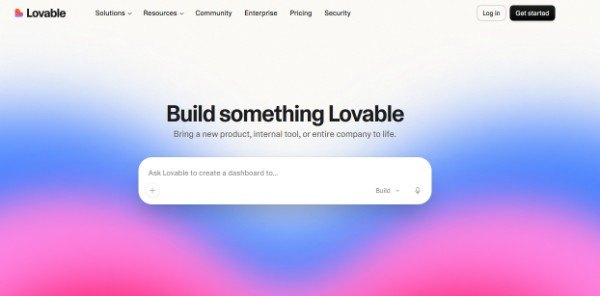
It is worth exploring if you want to move from an application description to a working interface and connected functionality while refining the result through prompts.
As with other AI builders, confirm how the project handles authentication, database permissions, external integrations, code ownership, and exporting or maintaining the generated code.
Official website: https://lovable.dev/
3. v0 by Vercel
v0 helps users generate interfaces and application code from natural language descriptions. It can be useful when the quality of the user interface is particularly important or when you want to develop within the Vercel ecosystem.
It is not limited to decorative mockups, but the amount of implementation and configuration required will depend on the application.
Official documentation: https://vercel.com/docs/v0
4. Cursor
Cursor is an AI-enabled code editor rather than simply a browser-based app generator.
It is worth considering if you are willing to work with an existing codebase, inspect project files, and gradually learn how software is structured.
For a complete beginner, it may involve a steeper learning curve than a tool designed around a more guided application-building workflow. That additional access to the code can nevertheless be useful as a project becomes more complex.
Official website: https://cursor.com/
5. Clause Ai
Claude is one powerful AI-enabled code editor, app builder, software development tool. Aside from the usual chat and answer feaature, it is an amazing tool to build software, apps and also making vibe coding micro SaaS very easier for non techie and absolute begonners.
It has helped me learn alot, build solutions that I have sold to businesses and also earn a living.
Official Website: Claude AI
ChatGpt, Deepseek and Gemini AI are also powerful tools that allow users to build an app with AI but among them after claude, deepseek and Gemini are very much preferable to keep details of chats more effectively than ChatGpt.
How should you choose?
Do not choose a platform solely because its demonstrations look impressive.
Evaluate each AI tool against your actual requirements:
- Can it implement the workflow your customers need?
- Can you access and maintain the generated code?
- Can you configure authentication and data permissions correctly?
- Does it support the integrations you need?
- Can you deploy and test the application without excessive complexity?
- What happens when your usage exceeds the free allowance?
- Can you export your project or move to another hosting arrangement if necessary?
Check the official pricing and documentation before making a purchase. Plans, usage allowances, and product capabilities can change.
Five Micro SaaS Ideas to Investigate
A good first project has a clearly defined audience, a recurring problem, and a small initial workflow.
The ideas below are starting points for customer research, not proven opportunities with guaranteed demand.
1. Invoice and scope-change tracker for freelancers
The problem: Freelancers sometimes struggle to keep track of additional work requested after a project has been agreed upon.
A possible first version: Store client projects, record the original scope, log additional requests, and generate a revised estimate for client approval.
What to validate: Whether freelancers experience this frequently enough to adopt another tool and whether their existing invoicing or project-management software already solves it.
2. Appointment reminder tool for local service businesses
The problem: Small service businesses may spend time confirming appointments and managing cancellations.
A possible first version: Maintain an appointment calendar, record confirmation status, and send reminders through an appropriate messaging service.
What to validate: How often missed appointments occur, whether reminders improve the outcome, and whether customers will pay enough to cover messaging and support costs.
3. Niche content repurposing assistant
The problem: A particular group of creators may struggle to adapt long-form content into shorter posts that match their audience and brand voice.
A possible first version: Accept a piece of text and generate three drafts using user-defined tone, length, and formatting rules.
What to validate: Whether the output is genuinely useful after editing, whether the audience has unmet needs, and whether a focused tool is preferable to a general-purpose AI assistant.
4. Product pricing and profit calculator
The problem: Small merchants may overlook packaging, delivery, transaction fees, or other costs when calculating a selling price.
A possible first version: Enter the cost components, selling price, and desired margin to calculate estimated profit and break-even values.
What to validate: Which costs matter to the target audience and whether the calculations reflect its actual business practices.
5. Client approval portal for creative freelancers
The problem: Designers, editors, and other freelancers may lose time tracking feedback and approvals across multiple communication channels.
A possible first version: Upload or link to a deliverable, collect feedback, record approval status, and maintain a simple revision history.
What to validate: Whether existing project-management tools are sufficient or whether a narrower approval workflow would save enough time to justify a separate product.
How to choose between the ideas
Before coding or vibe coding, speak with people in the intended audience.
Ask them to explain how they currently handle the problem, when it last occurred, what it cost them, and which alternatives they have already tried.
A compliment is weak evidence. A person willing to demonstrate a real workflow, test a prototype, or pay for a pilot provides more useful evidence of demand.
Choose the idea that combines a meaningful problem, reachable customers, a manageable first version, and a realistic way to deliver the outcome.
Can You Build a Micro SaaS App in 24 Hours?
Yes, a narrow prototype or simple application may be achievable in a day with the right tools, preparation, and scope. However, the phrase “build a micro SaaS in 24 hours” needs careful interpretation.
There are at least three different milestones:
A prototype demonstrates how the application might work. It may use sample data and lack reliable persistence or security controls.
An MVP, or minimum viable product, implements enough of the core workflow to test whether the proposed solution is useful to intended users.
A production-ready service must meet appropriate expectations for security, reliability, data handling, operational support, and recovery.
A prototype can be produced quickly. An MVP may be possible within a day for a sufficiently narrow project, but that depends on the requirements and the creator’s experience. A production-ready service may require substantial additional work.
The deadline should encourage focus, not justify skipping essential checks.
A Realistic 24-Hour Vibe-Coding Sprint
The following schedule uses approximately 16 hours of focused work within a 24-hour elapsed period, leaving eight hours for breaks and rest.
It is a planning framework, not a measured benchmark or a promise that any application can be completed on this schedule.
Phase 1: Define the problem and scope
Elapsed hours 0 to 2 | 2 working hours
Choose one target audience and one main problem.
Write a short specification that answers:
- Who will use the application?
- What problem does it solve?
- What is the main action a user must complete?
- What are the three essential features?
- What features are deliberately excluded from the first version?
For example, a first-version invoice tool might create an invoice, calculate totals, and export a document. Multi-user accounting, advanced analytics, and automated tax reporting can wait.
Deliverable: A one-page product brief with testable acceptance criteria.
Phase 2: Design the workflow
Elapsed hours 2 to 3 | 1 working hour
Sketch the main screens and user journey. Identify the information each screen needs, the actions a user can perform, and what should happen when an operation fails.
Choose the development tool and a suitable approach to data storage.
Deliverable: A screen plan and an agreed technical approach.
Phase 3: Generate the core interface
Elapsed hours 3 to 7 | 4 working hours
Build the main screens and primary interaction. Begin with realistic sample data if that helps you evaluate the interface before connecting a backend.
Do not spend the entire phase adjusting colors, animations, and minor layout details while the essential workflow remains incomplete.
Deliverable: A navigable interface with the main workflow represented.
Phase 4: Connect data and essential services
Elapsed hours 7 to 10 | 3 working hours
Configure the required database, implement the main data operations, and add authentication if the application needs user accounts.
If the tool generates backend code or database rules, inspect and test those areas rather than assuming that generated defaults are appropriate.
Deliverable: The primary workflow can save and retrieve the required data.
Phase 5: Test and correct the main workflow
Elapsed hours 10 to 13 | 3 working hours
Test valid and invalid inputs, failed requests, empty states, editing, repeated submissions, and important calculations.
Use separate test accounts when the application stores private user records.
Deliverable: A tested core workflow with known defects documented.
Phase 6: Review security and deployment requirements
Elapsed hours 13 to 15 | 2 working hours
Review exposed secrets, authentication, authorization, database permissions, and configuration. Deploy to a suitable test environment only when the checks appropriate to that environment have passed.
Two hours is not enough to guarantee a complete security audit. If critical questions remain unresolved, keep the application private and continue the review.
Deliverable: A test deployment if appropriate, a list of outstanding risks, and a clear next-step plan.
Phase 7: Rest and plan the next iteration
Elapsed hours 15 to 24
Use the remaining nine hours for breaks, rest, and a short preparation session for user testing. Do not treat rest as an opportunity to add unnecessary features.
When ready, demonstrate the application to a small number of intended users. Record where they struggle, what they request, and whether the proposed solution addresses the original problem.
Deliverable: A demonstration plan and a prioritized list of improvements.
The result of this sprint may be a prototype, an early MVP, or a test deployment. The appropriate outcome depends on what was actually completed and verified.
How to Prompt AI to Build a Better Application
Prompting is not simply about writing a long instruction. The goal is to give the AI enough information to produce a result that can be evaluated against clear requirements.
Try Our Free Prompt Enhancer Tool Here
A vague instruction such as “Build a complete invoice SaaS with payments and analytics” leaves too many decisions unresolved.
A better workflow separates planning, implementation, and verification.
Prompt 1: Define the product before generating code
Use this prompt with your chosen AI app builder.
Act as a product analyst and experienced software engineer.
I want to build a small application for [target audience] that solves [specific problem].The primary outcome is [what the user should be able to accomplish].
Before generating code:
- Identify the essential features for the first version.
- List features that should be excluded from the first version.
- Describe the main user journey and screens.
- Identify the data entities and relationships.
- Define validation rules and important error states.
- Identify authentication, authorization, and privacy requirements.
- Create testable acceptance criteria.
Ask me about essential ambiguities before making major architectural decisions. Do not generate the complete application until the scope has been agreed.
This prompt makes the AI clarify the product before committing to an implementation.
Prompt 2: Generate the core workflow
Implement the approved first-version requirements using the existing project architecture.
Build only the agreed features. Keep the implementation understandable and avoid unnecessary dependencies.
Validate inputs, handle failed operations, and provide clear feedback when a request succeeds or fails.
Never expose private API keys or database credentials in client-side code. Enforce access permissions in the appropriate backend or database layer.
After implementing the changes, explain what was created, identify unfinished functionality, and provide the tests needed to verify the workflow.
Do not claim that a feature works unless it has been implemented and tested.
This prompt discourages the AI from silently replacing missing functionality with a convincing-looking interface.
Prompt 3: Review the implementation
Act as a skeptical software tester and security reviewer.
Review the actual implementation against the approved requirements.
Check:
- Authentication and session handling.
- Whether one user can access another user’s private records.
- Database permissions and server-side validation.
- Exposure of secrets and credentials.
- Invalid inputs and important business calculations.
- Failed requests, repeated submissions, and possible data loss.
- Dependencies and known vulnerabilities.
- Payment verification and webhook handling, if applicable.
For each issue, identify the evidence, severity, affected component, and recommended fix.
Distinguish verified findings from assumptions. Do not declare the application secure or production-ready simply because it runs or an automated check passes.
A prompt can improve the development process, but it cannot replace evidence. Run the application, test its important behavior, and obtain experienced technical review where the risks justify it.
Security Risks You Must Understand Before Launching
An AI-generated application can appear to work while containing vulnerabilities that are invisible during a basic demonstration.
If the product will handle customer records, payments, school data, or confidential business information, security must be part of the development process from the beginning.
Protect API keys and secrets
Private credentials should not be embedded in browser-delivered code or committed to public repositories. Store secrets using the appropriate server-side environment or secret-management mechanism.
Remember that a value placed in a client-exposed environment variable may be visible to users even if its name includes the word “secret.”
Enforce authorization
Authentication establishes who a user is. Authorization determines what that user is allowed to do.
A logged-in user should not automatically have access to every record in the database. Verify permissions when reading, updating, and deleting records, including when requests are sent directly to the backend rather than through the interface.
Configure database access correctly
If a managed database supports row-level security, configure and test policies that enforce the intended access rules.
For a multi-user application, test whether User A can access or change User B’s records by modifying request parameters or record identifiers.
Do not rely on hiding buttons or navigation links as a security measure.
Validate inputs and business logic
Check that quantities, prices, dates, email addresses, and other fields meet the application’s requirements.
For financial calculations, test representative values, rounding behavior, and boundary conditions. For a payment workflow, verify payment status through a trusted server-side process rather than relying on a success message generated by the browser.
Plan for failures and recovery
Production software needs an approach to logging, monitoring, backups, recovery, dependency updates, and customer support.
The appropriate controls depend on the application, but these responsibilities do not disappear because an AI generated the code.
For more demanding or sensitive applications, independent security review may be necessary before launch.
How to Validate and Monetize Your Micro SaaS
Once the application works, the next question is whether it solves a problem that customers value enough to keep using or pay to solve.
1. Validate the problem before adding features
Talk to people in the intended audience.
Ask how they currently solve the problem, how frequently it occurs, what it costs them, and what they have already tried.
If they already have a satisfactory solution, you need to identify a meaningful reason they would switch.
2. Test the smallest useful offer
You do not always need a complete automated platform to test demand.
You might begin with a landing page, a clickable prototype, or a manually delivered service. For example, you could prepare reports for a small group of customers before building an elaborate report-generation system.
The purpose is to learn whether the outcome is valuable before investing in additional automation.
3. Choose a pricing model that matches the value
A subscription may suit a tool customers use repeatedly. Usage-based pricing may suit an application whose costs or value increase with consumption. A one-time fee may be more appropriate for a self-contained utility.
If customers need setup, migration, or training, a separate service fee may make sense.
Do not choose recurring billing merely because the product is called SaaS.
4. Calculate the real operating cost
Include AI usage, hosting, database services, third-party APIs, messaging, payment processing, maintenance, and customer support.
A free development plan may be sufficient for an experiment but unsuitable for the finished product.
Estimate the cost of serving a typical customer and a heavy user before promising unlimited usage.
5. Establish a realistic way to reach customers
A product needs distribution as well as development.
Depending on the audience, potential channels include direct outreach, professional communities, partnerships, search traffic, and useful educational content.
The best channel depends on where the target customers already look for solutions. Publishing an application does not guarantee visitors, conversions, or revenue.
Common Vibe-Coding Mistakes to Avoid
Building before validating demand. A fast development workflow can help you build the wrong product faster if you have not understood the problem.
Adding too many features. Every additional feature creates more decisions, implementation work, and possible failure points. Keep the first version focused.
Accepting code without verification. A successful preview does not prove that all user journeys, calculations, and error states work correctly.
Ignoring access permissions. A product that stores customer information needs appropriate authorization, not merely a login screen.
Treating a prototype as a finished business. A public URL is a technical milestone, not evidence of market demand or production readiness.
Underestimating operating costs. Third-party services, maintenance, and support can become significant as usage increases.
Neglecting maintenance. Dependencies change, external services fail, and customers encounter unexpected situations. Commercial software needs ongoing attention.
Frequently Asked Questions
Can a non-programmer build a micro-SaaS with AI?
Yes. AI app builders can help non-programmers create prototypes and simple applications using natural language instructions. The difficulty depends on the features, integrations, data requirements, and reliability expected. Basic technical understanding and experienced assistance become increasingly important as the application becomes more complex.
Can you really build an app in 24 hours?
A narrow prototype may be achievable in a day, and some simple MVPs may be feasible with sufficient preparation. A mature, secure, production-ready service generally requires further testing, operational planning, and iteration. The result depends on the scope and the tools being used.
READ ALSO: How to Write an Invoice: Essential Tips for Freelancers 2026
What is the best AI app builder for beginners?
There is no universal winner. Bolt.new and Lovable are worth evaluating for guided web-app generation, v0 for interface and application generation within the Vercel ecosystem, and Cursor for AI-assisted work in a code editor. Compare current features, usage limits, deployment, and maintenance requirements before choosing.
Do you need to know how to code to use vibe-coding?
You can start without being an experienced programmer. However, understanding basic concepts such as data storage, APIs, authentication, authorization, and debugging makes it easier to evaluate generated software and identify when you need help.
Is vibe-coding safe for production applications?
It can be part of a production development workflow, but generated code must be tested and reviewed. Pay particular attention to secret management, data permissions, server-side validation, error handling, and recovery. The fact that an application runs successfully does not establish that it is secure.
Can a micro-SaaS make money if it was built with AI?
Yes, an AI-assisted application can become a commercial product. Profitability depends on whether customers value the solution, how effectively you reach them, what they are willing to pay, and what it costs to operate and maintain the service. The use of AI does not guarantee demand or profitability.
Final Thoughts: Build Faster, but Validate What Matters
Vibe-coding gives more people an opportunity to experiment with software ideas without first mastering every detail of a programming language.
For a creator who understands a specific audience, this can be a useful way to turn an observed problem into a prototype, test a workflow, and learn what the product needs before committing to a larger project.
But the ability to generate code quickly does not remove the difficult questions. Does the application solve a real problem? Does it work reliably? Can customers trust it with their data? Is there a realistic way to reach those customers and cover the cost of serving them?
Use a 24-hour sprint as a constraint for learning, not as a promise of instant revenue.
Start with one audience, one recurring problem, and one essential workflow. Use AI to generate a small solution, test it against clear acceptance criteria, and gather evidence from people who might actually use it.
The real opportunity in vibe-coding is not merely building software in 24 hours. It is learning which software is worth building, more efficiently and with fewer wasted resources.
Explore more practical software guides and digital tools on CodeAndCapital.